
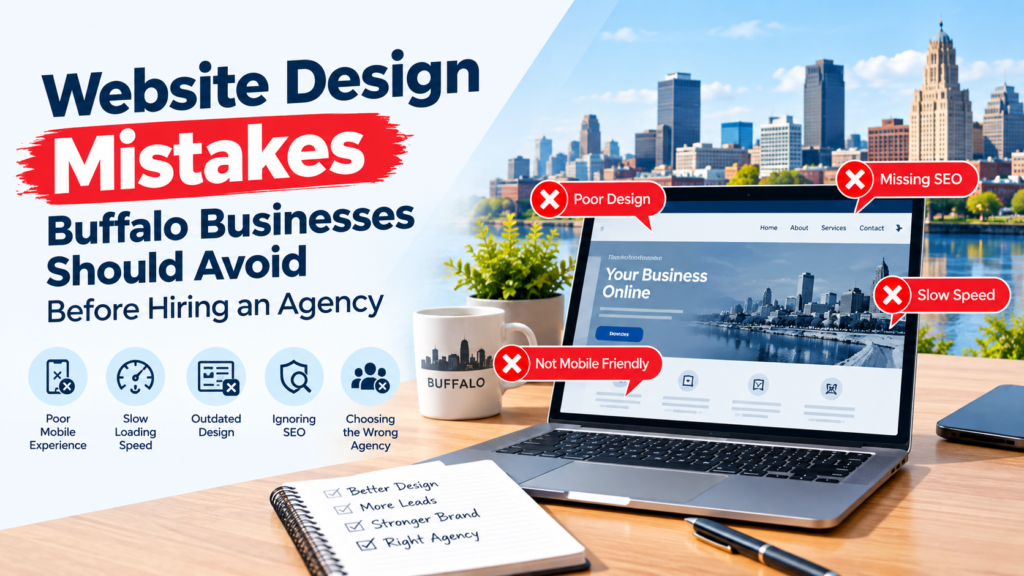
This blog discusses Website Design Mistakes Buffalo Businesses Should Avoid Before Hiring an Agency. A new website can be a crucial investment for a local business, but unfortunately, many website projects go awry before the design work even begins. Sometimes, a Buffalo business will reach out to an agency without a clear objective, customer needs, content needs, website ownership or internal responsibilities. These are initial errors that can result in website delays, additional expenses, and an appealing website that is not conducive to the business.
Business owners need to be ready for the project before hiring a Web Design Agency Buffalo, NY. You are not required to have any technical Web development skills or a completed design concept. Instead, you need to comprehend what the website needs to achieve, who will be using it, and what information the agency needs to create a successful solution.
This guide will discuss the essentials that Buffalo businesses need to avoid when selecting an agency for their website design.
1. Starting Without a Clear Website Goal
It is one of the biggest mistakes to start a website project without knowing what the website needs to do.
We need a modern website doesn’t have to be a clear goal.
In fact, a business may require additional bookings of quotes, appointments, online sales, calls, application for a job applications, or store visits.
A different type of website structure is required for different goals.
For example, a contractor might want project galleries and estimate forms, whereas a law firm might be more interested in information about their practice and requests for consultation.
You need to get a clear idea of what you want visitors to do before you reach out to an agency. This provides the design team with a clear direction and prevents the addition of any unnecessary features.
2. Designing for Yourself Instead of Your Customers
Business owners naturally have preferences about colors, layouts, images, and fonts. However, customers are the main users of the website.
Think about a visitor’s needs.
As someone seeking emergency roof repair, another question he or she might ask is whether they can find someone in their area and how promptly they can be reached. When a customer visits a restaurant website, they are likely to check the menu, location, hours of operation, and reservation options.
Therefore, customer behavior should be the sole consideration in making decisions about websites rather than personal preferences.
The best Web Design Agency Buffalo, NY should strike a balance between your brand image, usability, and customer expectations.
3. Copying Competitors Too Closely
Inspecting competitor websites can be helpful for ideas, but too much of a good thing can be detrimental to your business development.
Competitors can also have varying customers, objectives, budgets, and services.
Don’t let another agency do another site, but research the competition to find opportunities.
Instead of asking an agency to duplicate another website, study competitors to identify opportunities.
Your website can then offer a better experience, rather than being another version of what’s already out there.
4. Choosing the Design Before Planning Content
One of the common pitfalls is picking the layout, colours and visual styles before deciding what information to put on each of the pages.
Content and design should work together.
The page structure should be different for a service that asks for details about it, versus that of a visual project gallery. Likewise, a firm that heavily uses photography will require layouts that have enough room for powerful photos.
Planning content first also enables designers to design around the actual content rather than placeholders.
Design-First vs. Content-Aware Planning
| Design-First Approach | Better Content-Aware Approach |
|---|---|
| Layout selected immediately | Page purpose identified first |
| Placeholder text fills sections | Real content planned early |
| Content forced into templates | Layout supports information |
| Visual trends guide decisions | Customer needs guide decisions |
| More revisions may be needed | Fewer structural changes later |
5. Failing to Audit the Existing Website
Don’t get rid of all the content on the current site.
There may be some pages that already have some traffic volume, some links already, some search results, or inquiries.
Confusing important URLs by deleting or modifying their URLs could cause issues.
Before rebuilding, determine significant pages, traffic sources, existing links, conversions and valuable content.
The agency can then decide what needs to be improved, migrated, redirected, combined or removed.
The goal is to strengthen the weak without taking away the strong.
6. Forgetting About Website Ownership
Businesses should be aware of the owner of their website assets.
This can be the domain name, host account, website platform, analytics, images, website design files, plugins and software licenses.
When these accounts are 100% managed by an outside company and the company is unable to deal with another company, issues might arise.
When you are about to sign an agreement, inquire what assets you will have and what access you will have.
Good website ownership and organization facilitates future management.
7. Not Knowing Who Controls the Domain and Hosting
Many companies have a domain name they have had for some time, but they don’t know who registered it.
Maybe it was activated by someone who had worked at the agency, or maybe it was someone who had been hired as a freelancer, or someone who had previously been with the agency.
If this isn’t discovered during a redesign, it can delay the launch.
Ask the agency where your domain is registered, who has admin control and the location of the current website.
This also helps the new agency to get a better idea of the existing technical environment.
8. Adding Features Without a Business Purpose
Animations, calculators, booking systems, customer portals, videos, interactive maps, pop-ups, and countless more are just some of the elements that you can have on your modern website.
Not all websites require them. Each extra feature can add to development time, cost, maintenance and complexity.
Ask before asking for:
What problem will this feature solve?
For any business that has appointments, a booking system can be very handy. For businesses that only provide estimates, an advanced booking system might be of little benefit. Think about how it will actually be used by the customer.
9. Beginning Without a Clear Project Scope
Unclear scope is often a source of contention.
The business can have copywriting and the agency can have completed content from the client. One side might think that photography is covered in the quotation and the other side might have only quoted design and development.
Clarify major responsibilities before signing.
Website Project Scope Checklist
| Project Area | What to Confirm |
|---|---|
| Pages | Number and type of pages included |
| Content | Who writes and edits the copy? |
| Images | Who supplies photography? |
| Forms | What forms need to be created? |
| Integrations | Are booking, CRM or payment tools required? |
| SEO | What initial optimization is included? |
| Hosting | Who provides and manages it? |
| Revisions | How many revision rounds are included? |
| Training | Will staff receive website training? |
| Maintenance | Who manages the website after launch? |
A written scope will keep the business and the agency from getting into needless misunderstandings.
10. Underestimating Your Own Responsibilities
Even though the business hires an agency, it does not mean that the business has no other responsibility.
Designers might require service information, employee details, photos, pricing, brand files, legal information, approval, and feedback.
Often a project will get delayed because nobody within the company is accountable for providing these materials.
Choose one main contact point for the project.
That person has the ability to gather feedback from within and share it with the agency, thereby minimizing the chance for conflicting instructions from several employees.
11. Treating Mobile Design as an Afterthought
Websites need to be responsive to various screen sizes.
Mobile visitors may have different priorities from desktop users. They may want to call the business, check opening hours, request directions, or complete a short contact form quickly.
Navigation should be kept to an easy level, readability of text, ease of selecting buttons, and forms should not become cumbersome on smaller screens.
Discuss with the agency how they implement responsive design and mobile testing prior to starting the project.
12. Ignoring Accessibility During Planning
Accessibility should not be tacked on to the end, but rather thought of from the start.
Readable typography, color contrast, form labels, keyboard navigation, heading structure, and useful image alternatives may impact the way people use a site.
Employers should inquire as to how the prospective agency is considering the needs of the individual in their design and development of the agency.
Preparing for accessibility at an early stage is typically less burdensome than fixing all the problems after the initial release.
13. Using Weak Images to Fill Empty Space
Poor quality photos can ruin even a well-designed website.
Before work starts, check out the images available.
Do you have up-to-date team pictures? Do project pictures make sense? Is the product pictured on the website the same one that’s in store? Do you still have old logos appearing in your files?
For local companies, genuine pictures of work completed, qualifications, staff, or products can assist visitors in comprehending the organization.
When layouts are being completed, discuss alternatives with the agency if suitable photography is not available.
14. Creating Too Many Pages Without a Clear Reason
More pages do not automatically mean a stronger website.
A large number of thin pages can lead to a complicated way to navigate and high maintenance costs.
Each page should have a specific function.
The local service company could require the kinds of pages described above as well as a homepage, detailed service pages, about page, project gallery, service-area info, contact page, and educational resources.
The structure should be based on the needs of your customers and not the number of pages.
15. Overloading Pages With Calls to Action
The purpose of a call to action is to guide the lives of visitors to your web page, but too many competing calls can get in the way.
A page can have someone call, request an estimate, subscribe to the newsletter, download a guide, open live chat, watch a video and follow social media simultaneously.
Decide on the most desirable action for each key page.
The primary aim of a service page is to prompt a quote request, and the communication ought to be simple on the contact page.
A service page may primarily encourage a quote request, while a contact page should make communication easy.
Secondary actions can still exist without competing with the main goal.
16. Ignoring What Happens After a Lead Is Generated
Website design ought to sync with the company processes.
When thinking about a form, imagine what happens once it is completed.
To whom does the query go? What is the response time of a person? Is confirmation provided for the customer? Are messages lost in someone’s email that they don’t check frequently?
Good leads can be generated, but bad follow-up can still lead to a lack of business.
To discuss lead handling for planning to ensure that website forms and business workflows collaborate.
17. Focusing Too Much on the Homepage
While the home page is crucial, it is not the only way anybody will reach your website.
They can reach the site from service pages, articles, location pages or landing pages via search engines, ads and shared links.
So each of the major pages should be a self-contained entity.
The visitor should get a quick understanding of what the page is about, the company being able to assist, and what they can do next.
When creating pages within a website, your Web Design Agency Buffalo, NY should consider important pages as a customer entry point and not a secondary page.
18. Forgetting About Future Growth
Businesses change.
It can be used to add employees, add new services, open a new location, set up an online booking system, or even add content.
It is not necessary to implement all the future features straight away.
Talking about potential growth, though, can aid the agency in selecting the right website structure and technological components.
Building a site that cannot easily accommodate predictable business growth could result in unnecessary redevelopment later.
19. Waiting Until Launch to Discuss Maintenance
The completion of a website doesn’t just happen at a single moment.
The content is outdated, staff members have moved on, links break, forms must be tested, website software requires updates, etc.
Prior to the launch, identify the person(s) who will be responsible.
Launch vs. Ongoing Website Management
| At Launch | After Launch |
|---|---|
| Pages reviewed | Content updated |
| Forms tested | Form delivery monitored |
| Mobile layouts checked | New display issues reviewed |
| Staff access created | User access maintained |
| Initial performance checked | Performance monitored |
| Team trained | Future staff supported |
If maintenance is performed in-house, or by an agency, the role or responsibilities must be defined.
20. Choosing an Agency Only Because It Has the Lowest Price
It’s important to have a budget, but the lowest bid is not necessarily the best value.
A “business website” can come in two different forms and be offered by two different agencies.
One proposal might encompass strategy, custom design, content support, testing, training and post-launch support. The other may be just basic page development.
Concurrently, a higher price does not necessarily mean a higher quality.
Review the scope, process, support and deliverables in comparison to the pricing.
Final Thoughts
Hiring a Web Design Agency Buffalo, NY should not begin with choosing colors or asking for the most visually impressive homepage. A successful project starts with understanding what the website needs to achieve.
Buffalo businesses can avoid many common problems by defining clear goals, understanding their customers, reviewing existing website assets, confirming domain ownership, planning content, identifying necessary functionality, and establishing internal responsibilities before development begins.
Businesses should also avoid unnecessary complexity. More pages, animations, features, and calls to action do not automatically improve a website. Each element should serve a clear purpose.
Most importantly, think beyond launch. A website needs content updates, maintenance, lead follow-up, and room for reasonable business growth.
Better preparation can help businesses receive more accurate proposals, reduce unexpected revisions, communicate more effectively with their agency, and build a website around real customer and business needs rather than design trends alone.
Frequently Asked Questions
01 Can a Buffalo business redesign its website without changing its brand?
Yes. A website redesign can improve layout, navigation, performance, and usability while keeping existing logos, colors, messaging, and overall brand identity.
02 Should a business collect customer feedback before redesigning its website?
Yes. Customer feedback can reveal confusing pages, missing information, navigation difficulties, and other issues that internal teams may not easily notice.
03 Can an agency redesign only part of an existing website?
Yes. Businesses can sometimes update specific sections or important pages without rebuilding the entire website, depending on the existing platform and condition.
04 Should businesses keep a backup before website development begins?
Yes. Maintaining a complete backup protects existing content, databases, images, and configurations if unexpected technical problems occur during website development.
05 How important is website search functionality for a local business?
Website search becomes useful when businesses have many services, products, articles, or resources that visitors may otherwise struggle to locate quickly.
06 Can a website support multiple languages for Buffalo customers?
Yes. Businesses serving multilingual audiences can provide translated content, although navigation, page structure, translation quality, and future updates require careful planning.
07 Should businesses test website forms using different email addresses?
Yes. Testing helps confirm inquiries reach the correct employees and prevents technical or email-delivery problems from causing valuable leads to disappear.
08 Is custom web design necessary for every Buffalo business?
No. Some businesses can successfully use customized templates, while companies with complex functionality or unique requirements may benefit from custom development.
09 Should seasonal businesses change website content throughout the year?
Yes. Seasonal updates can highlight currently relevant services, operating information, promotions, availability, and customer needs without requiring a complete website redesign.
10 Can a Web Design Agency Buffalo, NY help connect third-party business tools?
Yes. Depending on project scope, agencies may integrate appropriate booking platforms, payment systems, CRM software, email tools, and other business applications.