
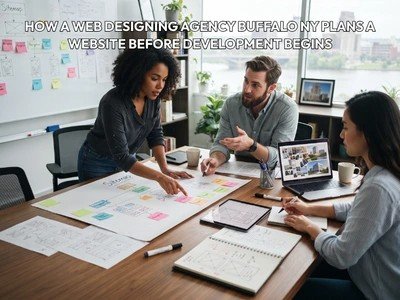
How a Web Designing Agency Buffalo NY Plans a Website Before Development Begins is an important part of creating a website that works well for both businesses and their customers. A successful website does not usually begin with writing code or choosing colors. Before development starts, a professional team needs to understand the business, identify what the website must achieve, organize the information, plan the user journey, and decide how different parts of the site should work together.
Businesses in Buffalo may also take into account local factors when planning their websites. A company can provide services to clients in any of the surrounding communities of Buffalo, Amherst, Cheektowaga, Williamsville, and Tonawanda. As a result, the website should convey the services offered by the company and be easy for visitors to navigate to the information they need.
By having a well-designed website, there will be less need for changes during development, better communication between the client and design team, and a better foundation for future changes. That is why it is important to focus on the planning stage before the first page is created.
Why Website Planning Happens Before Development
There are numerous interrelated decisions that go into website development. Later, changes can be costly and labor-intensive if not made with a plan in mind.
For instance, a business could start with five pages but soon discover that they require service pages, location pages, a project gallery, a FAQ section, contact forms or an online booking system for their customers. Requirements added after the development has begun can impact the site structure and development efforts.
By discussing the requirements of the project with a Web Designing Agency Buffalo NY before the project starts, you can minimize these issues.
Planning is used to answer the following questions:
- What is the main purpose of the website?
- Who will use the website?
- What information should visitors see first?
- Which pages are required?
- How should pages connect with each other?
- What actions should visitors take?
- What technology will support the website?
- What information will the business need to update later?
- How will the website handle future growth?
The answers turn into a working direction for the project instead of waiting for development to take place to make critical decisions.
1. Understanding the Business Before Designing the Website
The initial one is typically the comprehension of the business itself. Before designing a layout, the design team must gather information about the company for which the website is being created to ensure the website reflects the company.
Discussion for a website could include:
- Main products or services
- Target customers
- Service areas
- Business goals
- Existing online presence
- Main competitors
- Customer questions
- Current marketing activities
- Existing website problems
- Desired customer actions
For instance, a local roofing business may require a website that provides information on roofing services, allows homeowners to request an inspection, and lets them get in touch with the company. Menus, reservations, location info and opening hours may be required for a restaurant.
These businesses have varying customer journeys. That should be reflected in the structure of the website.
2. Defining the Main Website Goal
Not all websites are created equal. Some companies might be interested in receiving more phone calls; others might be interested in getting more online purchases, requests for appointments, submissions of quotes, or downloads of information.
The agency can determine the main and secondary objectives of the website before the development process is started.
One of the aims may be:
- Generate service inquiries
- Sell products online
- Receive appointment requests
- Increase phone calls
- Introduce a new business
- Provide customer support
- Build an online portfolio
Secondary objectives can range from gaining email subscribers to pushing certain services or encouraging social media engagement.
Choosing these targets will help the team identify what elements warrant greater treatment on the website.
3. Identifying the Target Audience
A website is not built for the business owner – it’s built for visitors. Knowing who you are targeting can impact how you navigate, word things, and organize the page, as well as your call to action.
A business in Buffalo can provide service to various sets of customers. For instance, a home improvement business can collaborate with homeowners, landlords, and business home building managers. Groups can search for different information before reaching out to the company.
The planning process can identify:
- Who the main customers are
- What they are looking for
- What questions they commonly ask
- What information they need before making a decision
- Which devices they are likely to use
- What may prevent them from contacting the business
The knowledge provided allows the design team to have a better understanding of the way the website communicates with its visitors.
4. Creating the Website Sitemap
Sitemaps are among the most useful planning documents that are prepared prior to development. It displays the pages that will comprise the website and the relationships among the pages.
Your basic business website may contain:
- Home
- About
- Services
- Individual service pages
- Service areas
- Projects
- Reviews
- Blog
- Contact
But the organised structure will vary according to the type of business.
If a landscaping company offers more than one service, then they may require more than one page for each service, such as for lawn care, hardscaping, irrigation, seasonal cleaning, and commercial landscaping services. The pages of a law firm can be structured by practice areas and geographical area.
A sitemap is helpful in avoiding unnecessary duplication or missing pages when building a site.
5. Organizing Information Into Clear Groups
There may be a tremendous amount of information on a website. The problem is where to place each piece of information.
During planning, the agency can group related information together. This work is sometimes referred to as information architecture.
For example, a company can have:
Services
- Residential Roofing
- Commercial Roofing
- Roof Repair
- Roof Replacement
- Storm Damage Repair
This helps make the website more user-friendly and allows for easy navigation by the user.
The organization of information can also assist the developers in figuring out what pages and navigation elements to build.
6. Plan the User Journey
A team can visualize, prior to development, how visitors might interact with their site once they have visited.
For example:
Google Search → Service Page → Project Example → Contact Form → Confirmation
Another customer journey could be:
Home Page → Services → Pricing Information → FAQ → Phone Call
Planning these trips enables the agency to determine where significant buttons, links, forms, and supporting information should be placed.
It is not about pushing all visitors to take the same route. Rather, the website should offer logical routes to take depending on the type of visitor.
7. Creating Wireframes Before Visual Design
Wireframes show where key elements will be placed on the page as a simple layout. Their work is typically structured, not necessarily decorative or final colors or images.
A home page wireframe can include:
- Header
- Navigation
- Main message
- Primary action
- Service sections
- Supporting information
- Reviews
- Service area section
- Contact section
- Footer
The structure of a service page wireframe can vary.
Wireframes help the client and agency preview the layout before color/visual design work commences. It is easier to move a part in the wireframe stage than after the page is fully developed.
8. Planning Content Before Development
It is not always advisable to add content to the website after it has been created. The quantity and quality of content may have an impact on the structure of the page.
In pre-development, the team can identify:
- Required headings
- Service descriptions
- Images
- Videos
- FAQs
- Testimonials
- Business information
- Calls to action
- Contact details
- Location information
For a local business, content can also be used to clarify the service areas and services offered in those areas.
If content is planned in advance, then designers can build layouts around the actual content, rather than designing empty sections and filling them in later.
9. Deciding Which Features Are Actually Needed
Companies can have a lot of suggestions for features to include in their websites. Not all of the features have to be implemented in the initial release.
A planning conversation may help to distinguish the basic elements from the extra bells and whistles.
Possible features include:
- Contact forms
- Appointment scheduling
- Online payments
- Product catalogs
- Customer accounts
- Search functionality
- Image galleries
- Review displays
- Location maps
- Newsletter forms
- Live chat
- Content management tools
Before making decisions on implementation, the agency must grasp how each feature is going to be used.
For instance, a company that does not have many booking requests weekly might not require a sophisticated scheduling app and can just make use of a structured booking form.
10. Choosing the Right Technology
The other aspect of pre-development planning involves making technology decisions.
WordPress, a custom PHP system, React, Next.js, Laravel, or another technology stack can be used for a website, depending on the project.
Selection is based on or related to the specific needs of a project.
The agency might be able to think about:
- Website size
- Expected traffic
- Required functionality
- Content management needs
- Integrations
- Security requirements
- Performance requirements
- Maintenance needs
- Future expansion
If you’re a small business, a standard content management system could be enough. Custom solutions might be needed for a larger company that has specific processes.
It is important that technology is chosen for the business and not for the sake of being popular.
11. Planning the Mobile Experience
Mobile planning should not be done after the desktop version is complete.
People can use a Buffalo business website from their cell phones when they are looking for services, business information, directions to a business, or to call a business.
Mobile needs can then be taken into account in the wireframing phase.
Important questions include:
- Is the navigation easy to use on a small screen?
- Can visitors read the text without zooming?
- Are buttons large enough to tap?
- Are forms practical on mobile devices?
- Do images fit smaller screens?
- Is important contact information easy to find?
Early planning of mobile layouts can save for crucial changes of design later.
12. Planning Navigation and Internal Links
Navigation is more than having menu items in the header. It is used to control visitors’ movement through the site.
The agency has the option to make a decision before development:
- Which pages belong in the main navigation
- Which pages should be linked from service sections
- Whether dropdown menus are necessary
- Which pages need footer links
- Where related services should be connected
- How visitors can return to broader categories
Internal links can also provide valuable linkages between topics that are related.
For example, a roof repair page may connect visitors to storm damage services, roofing inspections, and the contact page.
13. Establishing the Visual Direction
The design process can proceed with a visual direction once the structure is known.
This may include:
- Brand colors
- Typography
- Image style
- Button appearance
- Icon style
- Spacing
- Section layouts
- Overall visual tone
There can be a logo or signage, even printed materials, or existing brand guidelines, already in existence at a Buffalo business. These can be good resources for designing websites.
The aim is to ensure that each page has a consistent appearance on the web, and not designed in isolation.
14. Planning out Calls to Action
Calls to action should be created based on the business objective.
Examples include:
- Request a Quote
- Schedule a Consultation
- Call Today
- Book an Appointment
- View Services
- Get Directions
- Shop Now
- Contact the Team
The key is that the action should be consistent with the visitor’s stage and the page’s purpose.
A service page might invite visitors to contact you for a quote, and an informational blog post might point them to a service page that addresses their needs.

15. Preparing for Local Buffalo Customers
When planning a website for a business serving Buffalo and surrounding communities, location information can be an important part.
The agency can decide how the website will communicate:
- Main business location
- Service areas
- Nearby communities
- Local contact information
- Business hours
- Directions
- Local projects
- Location-specific services
This information may be used to determine if a company is located in their area of service.
But location pages should be optimized around content that is truly useful and not designed to generate lots of pages that are very similar for a particular location.
16. Planning Forms and Lead Collection
Before designing and coding contact forms, you should plan for what you will be gathering, as details will be needed in the design and will impact how the form is used behind the scenes.
A service company might require:
- Name
- Phone number
- Email address
- Service required
- Property type
- Preferred contact method
- Project description
Information should be gathered in a form that is useful to the caller but doesn’t require them to follow through on an unnecessarily long process.
The agency can also pre-plan what to do with a submission once it is submitted, like displaying a confirmation message, sending an email notification, or linking the submission to another business system.
17. Considering Website Accessibility
Accessibility can also be built in from the outset, rather than as a last-minute amendment.
The design team can review readability of text, navigation and heading structure, image descriptions, keyboard usability, and sufficient visual clarity.
Designing for accessibility from the outset can help make the website accessible to a broader audience.
It may also minimize corrections needed after the development is finished.
18. Planning Performance Requirements
Choices before development can have effects on website performance.
Big images, irrelevant animation, third-party scripts, complex features, and complex page layouts can cause performance issues.
A professional agency can determine the performance requirements prior to development and determine the assets and functionality required.
Planning may include:
- Image optimization
- Efficient asset loading
- Limiting unnecessary scripts
- Mobile performance considerations
- Caching requirements
- Hosting considerations
- Page structure
Performance planning is particularly helpful for sites that will be accessed through cell phones or lower bandwidth.
19. Connecting Third-Party Tools
Many modern websites rely on external services. Such connections must be determined prior to the onset of development.
A business may want to connect the website with:
- Google Analytics
- Search Console
- Email marketing platforms
- CRM software
- Appointment systems
- Payment providers
- Social media platforms
- Customer review platforms
- Maps
- Marketing automation tools
Once developers are aware of these requirements, they can plan accordingly and ensure that the integrations are suitable for the development team.
20. Creating a Development Roadmap
Once the main requirements are understood, the agency can develop a roadmap for development.
The project could be broken down into phases, including but not limited to:
Stage 1: Research and requirements
Stage 2: Sitemap and content planning
Stage 3: Wireframes
Stage 4: Visual design
Stage 5: Development
Stage 6: Content implementation
Stage 7: Testing
Stage 8: Launch preparation
It may be different on different websites.
Having a roadmap will help the client understand the next steps and assist the development team with task dependencies.
21. Reviewing the Plan With the Client
Client feedback is especially beneficial prior to development.
The agency can show you the sitemap, wireframes, content structure, visual direction and the features that are needed.
This provides an opportunity to identify issues such as:
- Missing services
- Incorrect business information
- Unclear navigation
- Unnecessary pages
- Missing functionality
- Incorrect customer journeys
- Content gaps
In most cases, it is easier to fix these problems when planning than once developed.
22. Preparing for Future Website Growth
Websites must not be limited to a single day of use. Businesses change over time.
A company can expand its range of services, hire more people, locate in other areas, create blog posts, implement online booking or ecommerce capabilities.
Planning that is done before construction begins can consider what is likely to change in the future.
For example, a company that plans to introduce more services in the future should structure a website so that more service pages can be added to the site without altering the navigation.
This kind of planning can aid with future updates.
What Happens When Planning Is Skipped?
Not planning can lead to a number of issues.
A website can be hard to navigate, lack pages, have disjointed content, include features that don’t serve a purpose, or grow into an unwieldy structure.
It can also cause the process of revision and reversion. The client might find out that something is missing, or the development team may find a technical constraint, so a layout is created again.
Planning will not eliminate all project problems, but will give a better base on which to operate the project.
Questions a Buffalo Business Should Ask Before Website Development
Before approving the development, a business can ask:
- What pages will the website contain?
- What is the main purpose of each important page?
- Who is the target audience?
- What action should visitors take?
- How will the website work on mobile devices?
- What content does the business need to provide?
- Which integrations are required?
- Who will maintain the website after launch?
- Can the website support future services or locations?
- What testing will happen before launch?
Here are some questions to aid the business and agency in defining the same expectations before development starts.
Final Thoughts
A successful website starts with planning long before the development stage. A Web Designing Agency Buffalo NY can use this stage to understand the business, define goals, organize information, map customer journeys, create wireframes, plan content, select technology, and prepare the website for future growth.
Planning also provides a chance for businesses to look at the structure early in the development process. The client and agency can find many problems before the project is formed and near its launch.
For a Buffalo business, it ought to be so much more than a visually appealing site. The website should be organized and informative, well-functioning, easy to navigate, and scalable to accommodate the company’s growth.
Frequently Asked Questions
01 How long does website planning usually take before development?
The planning period depends on website size, content requirements, features, and client feedback. A small site may need only a short planning phase.
02 What information should a business provide before planning starts?
Businesses should provide their services, goals, branding materials, target customers, existing website details, contact information, and any required features.
03 Can website planning change after development starts?
Yes. However, major structural changes are usually easier to handle before development begins, which is why requirements are reviewed early.
04 Who creates the website sitemap?
The sitemap is usually prepared collaboratively by the agency and client based on business goals, content requirements, and customer needs.
05 Should existing website problems be reviewed during planning?
Yes. Reviewing the current website can reveal navigation, content, usability, technical, and structural issues that should be addressed in the new project.
06 Does the agency plan website images before development?
Images can be planned before development, including the required image types, dimensions, locations, and visual style for different sections.
07 Why are wireframes useful for a business website?
Wireframes provide a simple view of page structure, helping the client review content placement and navigation before detailed design work begins.
08 Should website forms be planned before coding?
Yes. Planning the fields, submission process, notifications, and required integrations helps developers build the form according to the business workflow.
09 Can a website be planned around future services?
Yes. The information architecture can be designed so that additional services, categories, or pages can be added without unnecessarily rebuilding the website.
10 What should happen immediately after website planning?
After the requirements and structure are reviewed, the project can move into wireframing, visual design, development, content implementation, testing, and launch preparation.