

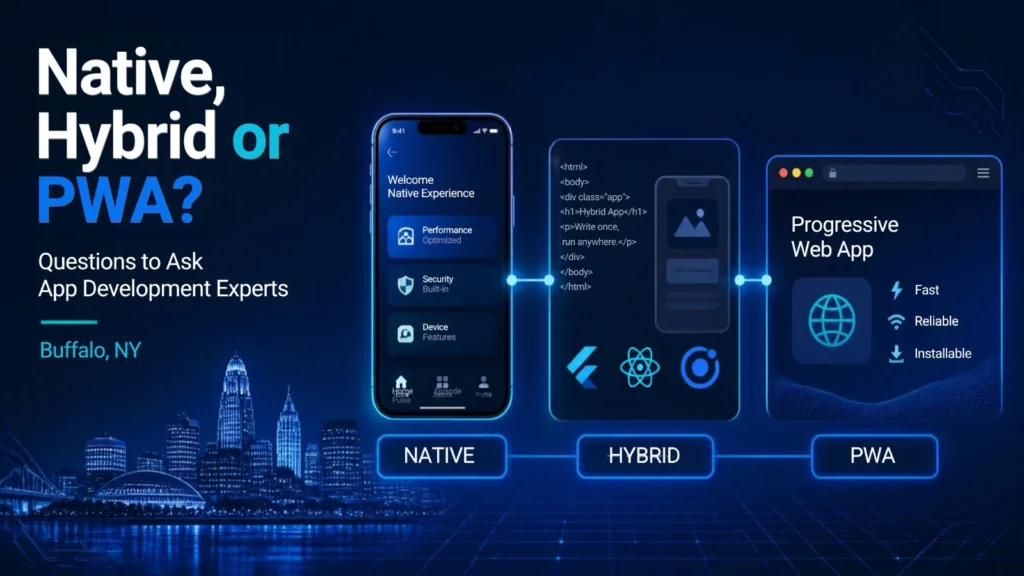
Native, Hybrid or PWA Questions to Ask App Development Experts Buffalo, NY is an important topic for businesses planning to build a mobile application. The decision among native apps, hybrid apps, and Progressive Web Apps (PWAs) can impact development costs and performance, maintenance requirements, user experience, and future scaling. There are pros and cons to each method, and companies need to know what they need before choosing a method to develop. The right questions will also enable business owners to compare development companies and select a solution for their customers and long-term plans.
What Is a Native Mobile App?
A native mobile app is the creation of an application for a specific operating system. For instance, an iOS application can be created using technologies that are developed for the Apple platform, and an Android application can be crafted for the Android platform.
Native development offers the developer a close association with the features and operating system of the device.
Native Apps can offer:
- Strong performance
- Smooth user experience
- Access to device features
- Platform-specific design
- Better support for complex applications
- Strong integration with operating system features
Advanced mobile functionality might be the choice for businesses that require it. But creating distinct apps for both iOS and Android might be an extra investment in development time.
What Is a Hybrid App?
Hybrid apps combine web technologies within an application framework that enables the app to run on various platforms. The biggest benefit is that a portion of the code can be shared between platforms, which is a benefit for developers.
Hybrid development might be appropriate for companies that want:
- Faster development
- Cross-platform support
- Shared code
- Lower development complexity
- Easier updates
- One development team for multiple platforms
The real performance and capabilities will depend on the technology and architecture implemented. Development companies should question businesses about their suggested framework and why it is suitable for the project.
What Is a Progressive Web App?
A PWA or Progressive Web App, is a web application that has been designed to be app-like through a browser. A PWA can be accessed via a web URL and might include features such as install to device, offline access and push notifications depending on the browser and platform support.
PWAs may be helpful for companies that wish their customers to visit their service without having to download a traditional mobile app.
Potential advantages include:
- Easy access through a web browser
- One web-based application
- Easier distribution
- Responsive design
- Potential offline functionality
- Easier updates
PWA’s don’t have the same attributes as all native mobile apps, though.
Native vs. Hybrid vs. PWA
Businesses need to know the basic distinctions between these approaches prior to speaking with App Development Experts Buffalo, NY.
| Feature | Native App | Hybrid App | PWA |
|---|---|---|---|
| Platform | Usually platform-specific | Multiple platforms | Web-based |
| Performance | Very high | Depends on framework | Good for many web applications |
| Development | Separate platform development may be required | Shared code possible | Web development |
| App Store | Generally yes | Generally yes | Not always required |
| Browser access | Limited | Limited | Yes |
| Device features | Extensive | Depends on framework | Browser-dependent |
| Updates | Through app distribution process | Through app distribution process | Usually immediate |
| Development cost | Can be higher | Can be more efficient | Often lower initially |
| Best suited for | Complex apps | Cross-platform apps | Web-first experiences |
Why Should You Ask Questions Before Hiring a Developer?
A development team is a big investment. Before the start of development, a business should understand what it is buying.
While the wrong technology selection can cause issues later, here are some of the potential issues:
- Higher maintenance costs
- Performance issues
- Difficult upgrades
- Limited device functionality
- Poor user experience
- Unexpected development expenses
By asking detailed questions, business owners can get a better grasp of the solution and be able to better compare business development companies.
Question 1: Which App Development Approach Do You Recommend?
Begin by asking a basic question:
“Would you recommend native, hybrid, or PWA development for our project, and why?”
A professional development team must provide rationale for its recommended practice.
Your answer should relate to your:
- Target audience
- Business goals
- Required features
- Budget
- Timeline
- Platforms
- Performance expectations
- Future plans
Beware of any company that says they use a single technology for all projects without talking to you about your needs.
Question 2: Who Are the Target Users?
The technology selection can be affected by your target users.
Discuss with the development team how the intended audience impacts the recommendation.
For example, consider:
- iPhone users
- Android users
- Desktop users
- Mobile web users
- Business customers
- Consumers
- Internal employees
A PWA might be worth considering if your users are mainly accessing your service via mobile browsers. For high-end device capabilities, there might be a need for a native or cross-platform application.
Question 3: Which Platforms Should We Support?
Make sure that your business requires:
- iOS
- Android
- Mobile web
- Desktop web
- Tablets
- Multiple platforms
Having to develop for multiple platforms can impact development strategy and budget. Inquire with the developer if the suggested approach will be viable enough to work on all required platforms without causing unnecessary technical complexity.
Question 4: What Features Does the App Need?
Make a list of features needed before developing.
Potential features include:
- User accounts
- Push notifications
- GPS
- Camera access
- Payments
- Messaging
- File uploads
- Maps
- Barcode scanning
- Bluetooth
- Offline access
- Background processing
Not all technologies perform these features in the same manner. The development team should provide an explanation of whether each feature is fully enabled by the proposed technology.
Question 5: How Will Performance Be Managed?
If the application has high data volumes or requires sophisticated functionality, performance becomes crucial.
Ask:
- How will app loading speed be optimized?
- How will large amounts of data be handled?
- How will API requests be managed?
- How will images and files be optimized?
- How will the application perform on older devices?
- How will performance be tested?
Testing and optimization should be well planned for a development team.
Question 6: How Much Will Development Cost?
Instead of a specific number, ask for an itemized estimate.
The proposal should be developed to split costs between:
- UI/UX design
- Development
- Backend development
- Database
- API integration
- Testing
- Deployment
- Maintenance
- Third-party services
A detailed estimate will help to understand the budget distribution of the project.
Question 7: What Are the Ongoing Maintenance Costs?
There are other costs involved in development.
For apps, there may be continuous activity that needs to be done:
- Bug fixes
- Security updates
- Operating system compatibility updates
- Server maintenance
- Database management
- Performance optimization
- Feature updates
Inquire with the development team about what will happen with maintenance after the launch.
Question 8: How Long Will Development Take?
Request that the company give you an estimated time.
A project can take place over several phases like:
| Stage | Typical Activities |
|---|---|
| Discovery | Requirements and technical planning |
| Design | Wireframes and UI design |
| Development | Frontend and backend development |
| Testing | Bug testing and device testing |
| Deployment | App store or web deployment |
| Launch | Production release |
| Maintenance | Updates and improvements |
The actual time frame will vary based on the complexity of the application.
Question 9: Can You Build an MVP First?
An MVP, or a Minimum Viable Product, is the set of features required for an initial launch. If an MVP is recommended by a development team, consider constructing one rather than a full-scale application.
An MVP can be useful for businesses:
- Test an idea
- Collect user feedback
- Identify problems
- Validate demand
- Lower start-up expenses
- Plan future features
This can be beneficial for startups and businesses that are testing and trying out a new digital product.
Question 10: How Will the App Be Tested?
Testing should be done in a way that fits the development process, and not at the end.
Ask about:
- Functional testing
- Device testing
- Browser testing
- Performance testing
- Security testing
- Usability testing
- API testing
- Payment testing
However, for mobile applications, testing on various screen sizes and operating system versions can also be significant.
Question 11: How Will Security Be Handled?
Security is something that should be thought of at the start.
Please consult the development team with regard to:
- User authentication
- Password protection
- Data encryption
- API security
- Access controls
- Secure payment processing
- Data storage
- Security testing
The type of security that is to be used should be dependent on the type of information that is being processed by the application. Sensitive information, such as financial, medical, or other information, may need other security issues.
Question 12: How Will User Data Be Stored?
Discuss with them the location and handling of application data.
Important questions include:
- Which database will you be using?
- What will be the location of servers?
- How will backups be performed?
- Who can access the data?
- How will data be secured?
- What happens if the application expands?
As the number of users grows, it becomes more crucial to have a scalable data architecture.
Question 13: How Will the App Connect With Existing Systems?
There are many software packages that many businesses already utilize:
- CRM systems
- Accounting platforms
- Inventory systems
- Booking software
- Payment gateways
- Email platforms
- Marketing tools
Ask whether the application can integrate with the systems your business already uses. When done correctly, integration planning will make it possible to avoid the need for manual data transfer between systems.
Question 14: Who Owns the Source Code?
It’s a significant question that companies must pose before entering into a development arrangement.
Ask:
“After the project is completed, who owns the source code and project files?”
Ownership rights should be explicitly stated in the contract.
Businesses should also find out if they will be able to access:
- Source code
- Design files
- Documentation
- Database
- Hosting accounts
- Developer accounts
- Third-party service accounts
Future maintenance or changes by developers can be easier due to clear ownership terms.
Question 15: How Will Updates Be Delivered?
App distribution platforms are the usual way to update native or hybrid apps, whereas PWAs can usually be updated via the web.
Assess with the development team:
- How are updates released?
- How long do updates take?
- Who manages releases?
- Who handles emergency fixes?
- What happens when iOS or Android introduces major changes?
Having an understanding of the update process can assist with planning for continued operations.
Question 16: Will the App Work Offline?
Offline functionality can be important for certain applications.
For example, field workers may need to access information even when they temporarily lose internet access.
Ask if the application can:
- Store information locally
- Allow offline data entry
- Synchronize data later
- Handle connection interruptions
While not all applications require offline capability, it should be considered when planning if users are likely to be operating in places where connectivity may be intermittent.
Question 17: How Will the App Be Submitted to App Stores?
When developing a traditional mobile application, inquire who will submit the app to the app store.
This could include:
- Developer accounts
- App information
- Screenshots
- Privacy information
- App descriptions
- Testing
- Store review
- Release management
Make sure that app store submission is part of the development contract.
Question 18: What Happens After Launch?
The launch should not be considered the end of the project.
Inquire about post-launch support from the developer.
This may include:
- Bug fixes
- Monitoring
- Performance improvements
- Security updates
- User feedback
- New features
- Operating system updates
Having a clear plan in advance can help ensure that there are no unforeseen issues after the launch of a product.
Question 19: How Will Success Be Measured?
Determine how to measure the success of the application before starting development.
Possible metrics include:
- Number of downloads
- Active users
- Registration rate
- User retention
- Purchases
- Bookings
- Leads
- Session duration
- Feature usage
- Customer satisfaction
Website analytics and user behavior, too, can be relevant for a PWA. The development team can also help make sure that the necessary analytics and tracking are integrated into the project.
Question 20: Can You Explain the Recommendation in Business Terms?
Talking about technology can be quite a complex matter to cover. Technical decisions should be communicated to a good development team in simple business language.
Rather than simply stating that:
“We recommend a cross-platform framework.”
The team should give an explanation of:
“This approach allows your business to support iOS and Android with a shared codebase, which may reduce development duplication while still providing the features your users need.”
One of the most crucial areas where communication matters when selecting the development partner is in the exchange of information.
When a Native App May Be the Better Choice
Native development can be appropriate for use in cases where the application needs a lot of platform-specific functionality or very high performance.
Potential examples include:
- Advanced gaming
- Complex graphics
- Intensive device processing
- Specialized hardware integration
- Advanced background functions
The decision should be made on a case-by-case basis, however, and not be based on the assumption that native is inherently superior.
When a Hybrid App May Be a Good Option
When a company wishes to develop for multiple platforms but shares development resources, hybrid or cross-platform development can be helpful.
It might be worth considering when:
- iOS and Android are both important
- Development time matters
- The application does not require extensive platform-specific features
- The business wants a shared development approach
- The project needs to scale across multiple platforms
However, the development team should also consider the features to be developed before recommending this approach.
When a PWA May Be the Right Choice
A PWA can come in handy if the business wishes to adopt a web-first, device-friendly approach.
May be appropriate for:
- Online services
- Booking platforms
- E-commerce
- Content platforms
- Customer portals
- Business dashboards
- Internal web applications
A benefit of this is that users won’t need to go through the traditional app installation process to experience it; they can just open a browser.
Cost Comparison
This is a rough guideline for the cost comparison between the two and can be useful when talking to developers about the options available.
| Factor | Native | Hybrid | PWA |
|---|---|---|---|
| Initial development | Often higher | Often moderate | Often lower |
| Multiple platforms | More development may be needed | Shared development possible | Broad web access |
| Maintenance | Can require platform-specific work | Shared maintenance possible | Web-based maintenance |
| Advanced device features | Strong | Depends on framework | More limited |
| Browser access | No | Usually no | Yes |
| App store dependency | Usually | Usually | Generally not required |
How to Compare App Development Companies
When comparing App Development Experts Buffalo, NY, do not focus only on the quoted price.
Compare:
- Relevant experience
- Technical recommendations
- Portfolio
- Communication
- Development process
- Testing approach
- Security practices
- Project timeline
- Maintenance options
- Source-code ownership
- Post-launch support
A company that will be explicit about its suggestions can be offering much more than a company that gives the lowest price.
Create a Question Checklist Before the First Meeting
Make a short checklist before speaking to developers.
Business Requirements
- What problem will the app solve?
- Who will use it?
- What platforms are required?
- What features are essential?
- What is the expected launch date?
Technical Requirements
- Which technology is recommended?
- Why is it suitable?
- What integrations are required?
- How will data be stored?
- How will security be managed?
Budget Requirements
- What is the estimated development cost?
- What is included?
- What are the ongoing costs?
- Are third-party services charged separately?
Post-Launch Requirements
- Who handles updates?
- Who fixes bugs?
- How will performance be monitored?
- What support is available?
It’s helpful to have these questions prepared for the first appointment so that it can be a more productive one.
Final Thoughts
The decision between native, hybrid, and PWA development is a pivotal one for businesses embarking on a new digital product. Both methods have pros and cons, and the decision on which method to take is largely dependent on the features of the application, the target users, the budget, the performance goals, the platforms, and the future plans.
Businesses need to know about technology, development costs, security, testing, integrations, ownership, maintenance, and post-launch support in order to hire App Development Experts Buffalo NY. A trustworthy development team ought to be able to weigh in on the suggestions it provides in a straightforward and easy-to-understand method and link technical choices to business objectives.
The lowest cost is not necessarily the most cost-effective choice, and the most technically advanced is not necessarily the most suitable in some projects. While there are clear distinctions between native apps, hybrid applications, and PWAs, there are also questions that businesses should consider before getting started that will help them make a better-informed decision when designing their app for the future.
Frequently Asked Questions
01 What is the difference between native, hybrid, and PWA apps?
Native apps are designed for specific operating systems, hybrid apps can share development across platforms, and PWAs are web applications designed to provide an app-like experience.
02 Are native apps better than hybrid apps?
Not necessarily. Native apps can provide strong platform-specific performance, while hybrid approaches can offer efficient multi-platform development. The best option depends on project requirements.
03 Is a PWA a mobile app?
A PWA is a web application that can provide many app-like features. It is accessed through a browser and may be installable on supported devices.
04 Which option is usually faster to develop?
Development time depends on the project’s complexity and technology. Shared-code approaches and PWAs can sometimes reduce development work, but there is no universal timeline.
05 Can a PWA work offline?
Some PWAs can provide offline functionality through technologies such as service workers. The exact capabilities depend on the application and browser environment.
06 Can hybrid apps access phone features?
Many hybrid and cross-platform technologies can access device features through supported APIs or plugins. The available functionality depends on the chosen technology.
07 Should a startup build a native app?
Not always. A startup should first consider its users, essential features, budget, and business goals before selecting a development approach.
08 What should I ask an app development company before hiring them?
Ask about their recommended technology, experience, development process, pricing, timeline, testing, security, source-code ownership, and post-launch support.
09 How important is app maintenance?
Maintenance is important because operating systems, devices, security requirements, third-party services, and user expectations can change over time.
10 Should I build an MVP first?
An MVP can be useful when a business wants to test an idea with essential features before investing in a larger application. The right approach depends on the project’s goals and risks.